As part of our mission to help you have the best publishing experience possible, we’ve created a special series of articles to take you through the process from inspiration to creation to completion. Whether you're new to Vervante or have worked with us in the past, we think this will be such a valuable series for clarifying everything you need to do, step-by-step, to make your big ideas into reality. (If you miss anything, just check the links at the end of the article.)
Creating a New Product: Getting Started
One of the most important steps for any project is the first step. Decades of experience in the publishing industry has taught us that just the act of gathering your thoughts and ideas and defining what exactly you want to create can be one of the hardest things you do. We’ve been there and helped thousands of customers get started, so here are our best tips:
FIRST: Define your product
A great place to start is to look at other similar products like the one you want to create. Determine what you like about them and start writing down details such as: size (physical dimensions), number of pages, fonts, colors, type of binding, and any special treatments.
NEXT: Watch product videos
A great place to get ideas and see how things look in real life is by watching the videos on our Video Vault web page. These videos spotlight a variety of products close-up and in action, narrated by our CEO, showing ways to create and elevate your products. Currently there are videos for binders, planners, journals, card decks, calendars, custom printed boxes, greeting cards, stickers, book cover treatments, and more. We’re always adding something new, so be sure to check back often for lots of ideas and inspiration.
THE NEXT STEP: Order samples
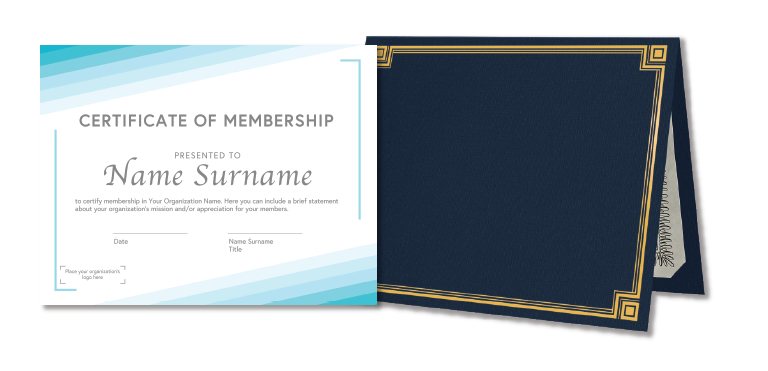
Holding a sample product in your hand is one of the best ways to decide if you’re choosing the right specifications. We have a Samples Page on our website filled with products you can order to help you make your final decision. One of the most popular samples is our Paper Sample Notepad that includes eight of our most popular paper options – a great way to test the look and feel of the type of paper you’ll want to use. We also offer samples for books, book binding, calendars, card decks and greeting cards, posters, binders, printed boxes, pocket planners, newsletters, notepads, certificates and more.
DOWNLOAD: Product catalog
We do books ... and so much more! From books to other products such as daily planners, card decks, calendars, notecards, journals, CDs, and DVDs, we've got you covered. Get to know the wide variety of products, packaging, and publishing solutions we offer by downloading our detailed product catalog. (Just go to our home page and click on "Catalog" in the top menu.)
FINALLY: Explore our extensive free resources
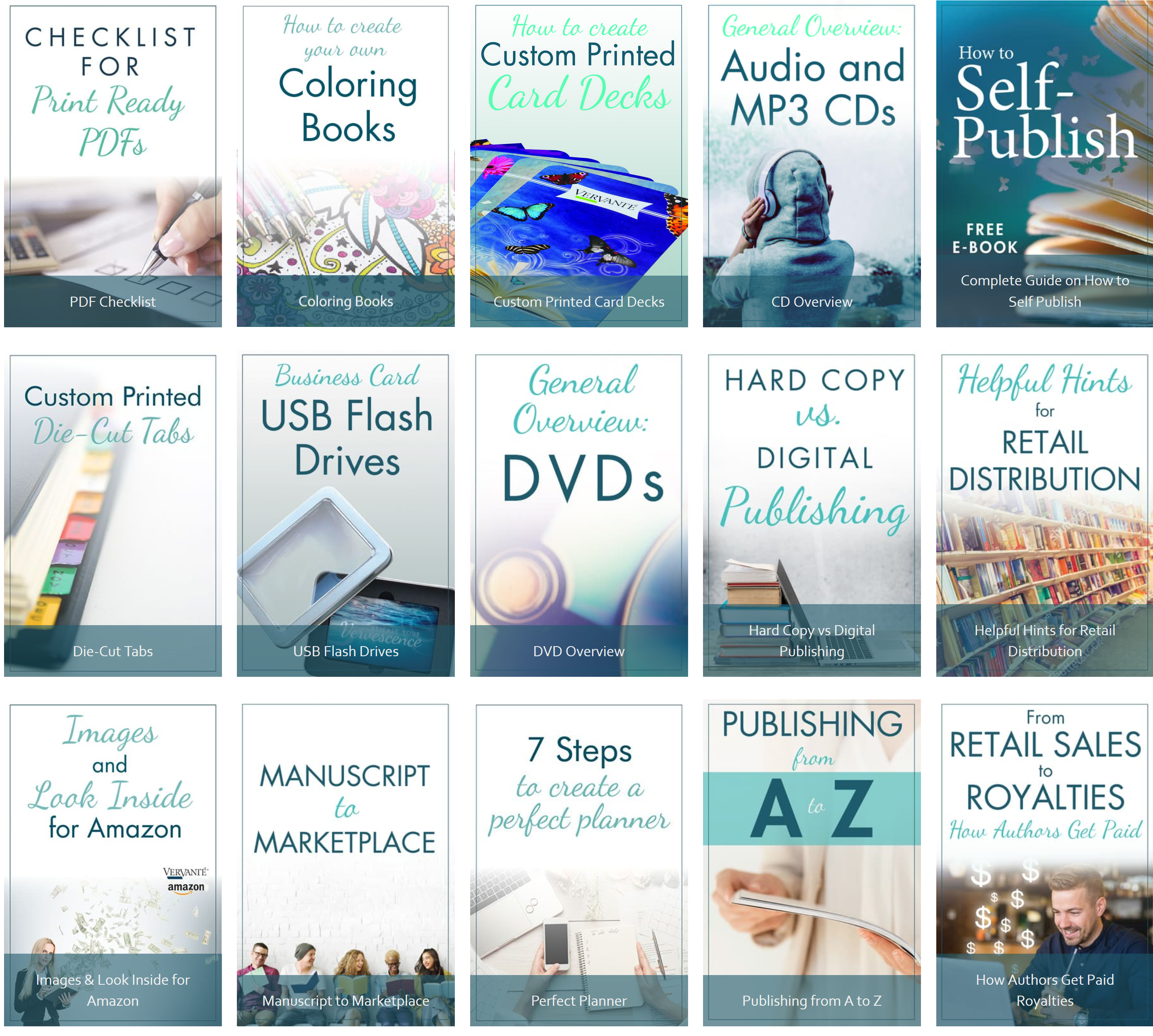
EXPERT GUIDES: Free downloads for everything from how to get started to how to sell and even in-depth technical advice for setting up print files and shopping baskets.
BLOG: Hundreds of articles, updates and even highlights of other customer stories that will inspire and assist.
FREE BOOK: On the Expert Guide page, you'll find a link to download our free book "How to Self Publish." It's a complete guide for printing and publishing books and products and gives you everything you need in full detail for your next project.
We know we’ve given you a lot of information, but this moment where you’re just getting started really is that important. Here’s a final thought…
The most important move you will make right now is to choose the right company to work with. After more than 30 years in the publishing industry, we’ve seen up close and personal what you need – and what you don’t need – in order to pick the right company to help you. And we know that no matter if you choose to work with a large corporate publisher or specialized boutique organization, these are universal truths that will help you make the right decisions to ensure that your publishing experience is valuable, productive and, above all, stress-free.
So click here to download “The 7 Things You Must Look For in a Publisher,” and be sure to reach out to us if you have any questions. In the next few weeks, we’ll be publishing more articles and information, so soak it in and get ready to create the amazing, inspiring, and business-building products you’ve been dreaming of.
Questions about best practices when it comes to setting up shopping carts, calculating postage and choosing shipping methods are some of our most frequent, so we decided to share a few of our best tips here to help you – and your customer – get the best results.
How to set up shopping carts
Q: What shopping cart works best with Vervante?
A: We work with any shopping cart, so your choice is always the right one!
Q: How do you know when I get an order through my shopping cart?
A: To process orders from the shopping cart you use, we just need ONE of the following:
A copy of the order email generated from your shopping cart, OR
A shipping/fulfillment report, usually a csv file, generated from your shopping cart, OR
An email with the order information
VERY IMPORTANT: All orders MUST include our Vervante part number. Most shopping carts have a field for part number or SKU. Or the part number can be added in parenthesis after the title. For example, “My Book Title Here” (V123456).
For a download that specifies how to set an order email up, click HERE. This will work with any shopping cart and we recommend that you supply your technical support team with this info when adding new items to your shopping cart.
Q: Do you have instructions for integrating specific shopping carts like PayPal or Woo Commerce?
A: On our website HERE we also have specific instructions for integration with our system for some of the most-used shopping carts including 1ShoppingCart, Big Commerce, Click Bank, Infusion Soft, PayPal, E-Junkie, Woo Commerce, Thrive Cart and Premium Web Cart. We accept orders from ANY shopping cart, so even if you don’t see your cart logo on our order processing page we accept all orders.
Q: Do I need to worry about taxes when setting up products in my shopping cart?
A: We do not handle calculating or gathering sales tax for our customers. We recommend that you check with your accountant regarding sales tax collections and liabilities.
Shipping Methods
Q: Where do you ship?
A: We ship anywhere in the world using USPS and UPS services.
Q: How do I know which shipping method to use?
A: We automatically ship all books and products using the least expensive shipping method based on the weight and zip/postal code used. However, you can always select a different shipping method that best fits your needs. NOTE: We do not default automatically to Media Mail even if this is the least expensive option. If you’d like your orders shipped via Media Mail you need to select this as your default. (For more details about Media Mail, and why we don’t use this as our default, please refer to “The Pros and Cons of Using Media Mail” on our blog.
To designate a default shipping method for any of your products, click on the link for “Select Specific Shipping Methods” under the My Profile section on your Author Dashboard. There you will see a list of your products and a place to designate what shipping method you would like to use. If you make any changes, be sure to click on the "Update" button at the bottom of the page.
Q: How do I know what my product weighs?
A: When we first set up a new item, we estimate the weight. That’s the number you’ll see in the “Est Ship Weight” column on the shipping methods page we referenced in the previous question. Once the item is in production, the final shipping weight can be viewed on the “Calculate Postage” page found on your Author Dashboard.
Q: How do I know when you’ve shipped my orders?
A: Here's how we keep you up-to-date on the status of orders:
We receive notifications from your shopping carts for orders placed.
Orders are completed and prepped for shipping, the package is scanned, and shipping labels are applied.
Products are mailed according to your preferred shipping method.
Shipping confirmation emails are sent to recipients with tracking information.
Order information such as status and tracking numbers are posted to your account online via the “View Orders and Status” link on your Author Dashboard.
Q: Can packing slips be customized?
A: Every package we send includes a packing slip inside and you have the option of customizing it however you’d like. Think of this as valuable real estate perfect for sharing information like:
A greeting or message that makes a personal connection
Your logo for brand awareness
Return policies that eliminate confusion about timeframes or refunds
Business address and contact information
(NOTE: Prices are NOT included on packing slips.)
To add personalized content for your packing slip, click on “Customize My Packing Slip” on your Author Dashboard.
**If you’d like more information about using packing slips, handling returns, and suggested content you can adapt and use for your packing slip, click HERE to read more on our blog.
Returns
Q: How does Vervante handle returns?
A: We highly recommend that you share your return policy on your packing slip to direct your customers what to do if they want to send a product back. We will accept returns, but all returns sent to us will incur a $4.00 charge to your account. For instance, if you would like returns sent back to your office so you can use them for prizes, promotions, display or to sell to other customers, please include instructions and address information on the packing slip for customers to send the products directly to you.
Here are some of the ways we handle returns in more detail:
If an order has an insufficient address or other address issues, it will be returned to our office. We will notify you when we receive it, and the reason for the return.
If we receive a return for insufficient address or address problems, and you are able to provide us with an updated correct address, we will reship the order at no additional charge except for the postage.
If a product has NOT been opened, used or is not damaged, we will re-use the product.
If the product HAS been opened, we do not re-use returns. These products are discarded.
Calculating Postage
Q: How do I calculate shipping costs?
A: We’ve provided a postage calculator to help determine shipping costs. From your author dashboard click on the “Calculate Postage” link under the Support section. Your items and their weights are listed there for easy referral. All you need to do is use the official USPS calculator on that page to determine shipping costs.
Q: How do I make sure I’m using the best shipping method?
A: Using the shipping calculator to find the best rates is usually the best way to do. However, for some of our customers who ship internationally, it’s good to review your accounts from time to time to verify the costs.
Q: Do you also charge “handling” fees?
A: For print on demand products, we do not charge handling fees. Here’s how we calculate charges: “Cost of printing book + Cost of shipping/postage = what we charge.” There are no other hidden costs. For products printed or produced in bulk, there is an order fee plus a pick fee to pull the item from inventory, plus postage. Order and pick fees only apply to individual drop ship orders pulled from inventory and shipped on demand.
Inventory & Warehousing
Q: Are there charges for using your warehouse to store products and ship them later?
A: We can print books and products, hold them in our warehouse, and ship on demand when you need them. There are no storage fees for products we print or produce. There may be storage fees for products that we store but didn’t print.
If you have any questions we haven’t covered here about shopping carts, postage rates, shipping and fulfillment be sure to check our website for more details or reach out to use at [email protected].
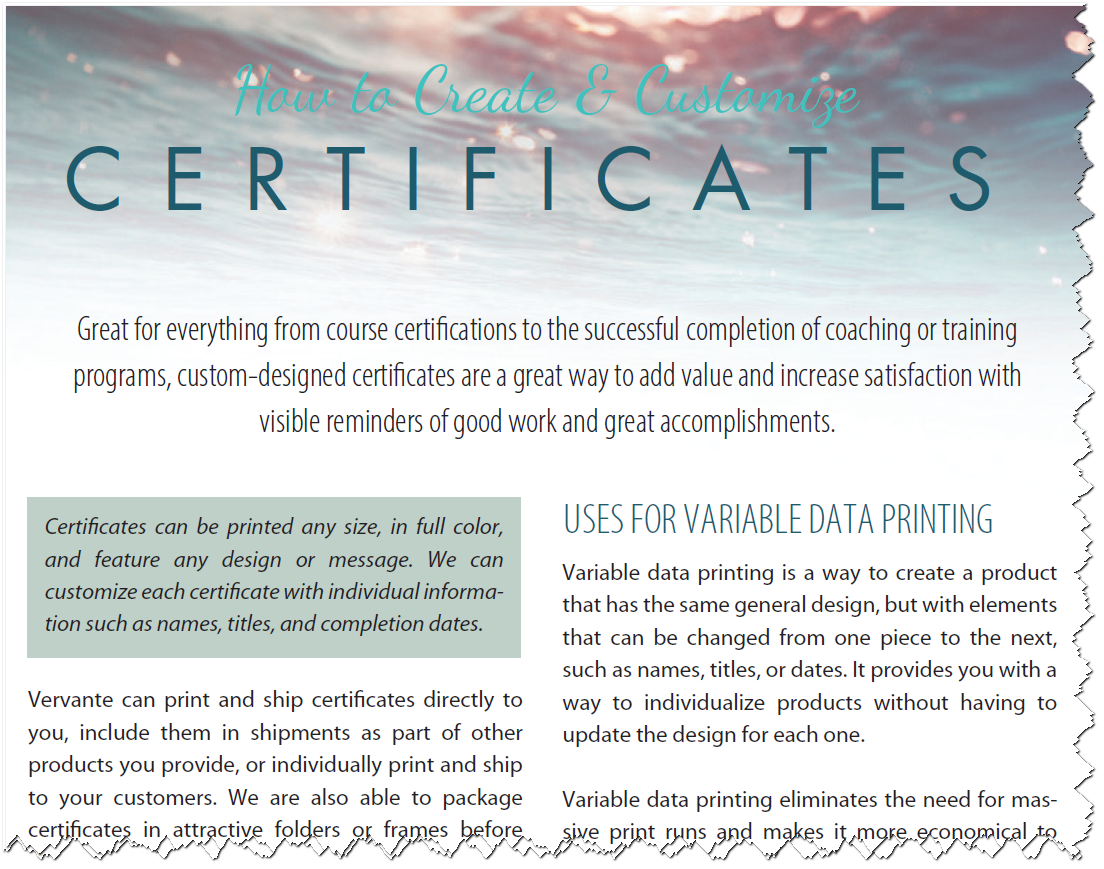
We're happy to share that we've added another new free expert guide to our Resource Library that's all about creating certificates. Click on either image in this email, or go to our Expert Guides section of the website, and you can download it right away.
Custom-designed certificates are great for everything from course certifications to the successful completion of coaching or training programs. Plus they are a great way to add value and increase satisfaction with visible reminders of good work and great accomplishments.
Certificates can be printed any size, in full color, and feature any design or message. We also can use variable data printing to customize each certificate with individual information such as names, titles, and completion dates.
Vervante can print and ship certificates directly to you, include them in shipments as part of other products you provide, or individually print and ship to your customers. We are also able to package certificates in attractive folders or frames before shipping.
Here are some ways Vervante customers are using certificates:
Course completion or accreditation
Endorsements
Sponsor recognition
Training completion
Awards
Achievements
Milestones
Special offers
How Variable Data Printing Works
Variable data printing is a way to create a product that has the same general design, but with elements that can be changed from one piece to the next, such as names, titles, or dates. It provides you with a way to individualize products without having to update the design for each one.
Variable data printing eliminates the need for massive print runs and makes it more economical to print truly individualized products. Here at Vervante, we offer variable data services for digital on-demand printing, so you can make it look like each product has been expressly designed and printed for a single person.
Here are some ideas where variable printing can be used:
Offer a membership package that includes a personalized letter or a membership card.
A monthly newsletter personalized with the customer's name.
A personalized letter that accompanies a coaching product.
A learning course that includes unique access information for the user.
Postcards or mailers that creatively feature the recipient's first or last name
Announcements and invitations that recognize the readers' loyalty by calling them by name and mentioning previous products or programs they invested in.
Personalized thank you cards, tickets, bookmarks, journals, etc.
Adding Fields on a Certificate or PDF
If you want to personalize your certificates, or any document, with elements such as names or dates, we need a PDF with fields added to allow for the customization. Here are the steps to add fields to a PDF:
Create a PDF of the certificate complete with bleed and crop marks
Open the certificate in Adobe Acrobat, click on File > Create Form > From Existing PDFs
Click Add New Field > Text Field
Double-click on each of the fields to customize appearance of font, size and placement. We recommend selecting font size “auto.” What this means is that the text entered in this field will be sized automatically according to the size of the field. So, if you have a customer who has a long name vs. another with a short name, the text will be sized accordingly and will look professional.
Be sure to SAVE your changes once the fields have been added.
How to Change the Font on a Variable Data Field
Open the certificate with Adobe Acrobat Pro
Click open TOOLS field
Open the FORMS section
Click on EDIT
Hover over the area of the certificate you want to edit and double-click that editable area.
Click on the APPEARANCE tab: From here you can change the font type and font size
Select the CLOSE button
To Send Your Print Files to Vervante
Log in to your Vervante author account and click on UPLOAD FILES from your author dashboard.
Complete the specification document and send us your print-ready PDF.
When you send orders for your certificates, include the variable data in separate fields/columns on a spreadsheet or with your order information.
If you have any questions about creating certificates or using variable data printing, our team can help at [email protected].
 As part of our mission to help you have the best publishing experience possible, we’ve created a special series of articles to take you through the process from inspiration to creation to completion. Whether you're new to Vervante or have worked with us in the past, we think this will be such a valuable series for clarifying everything you need to do, step-by-step, to make your big ideas into reality. (If you miss anything, just check the links at the end of the article.)
 FINALLY: Explore our extensive free resources
 Questions about best practices when it comes to setting up shopping carts, calculating postage and choosing shipping methods are some of our most frequent, so we decided to share a few of our best tips here to help you – and your customer – get the best results.
 We're happy to share that we've added another new free expert guide to our Resource Library that's all about creating certificates. Click on either image in this email, or go to our